





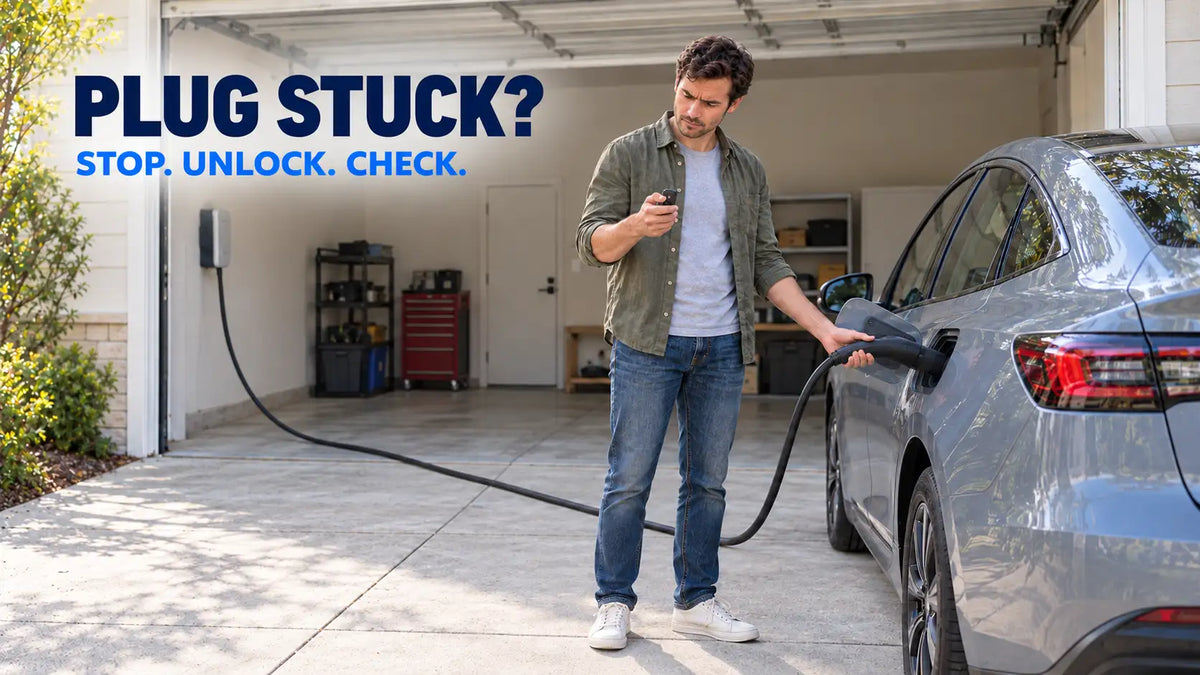
An EV charging plug usually remains attached because the charging session has not fully stopped, the vehicle still has the charge port locked, or the connector latch has not released. Stop charging and unlock the vehicle before trying to remove it. Do not twist, pry or force the connector out.
The correct release method varies by vehicle. If normal controls do not work, follow the manual-release instructions for the exact model rather than using a general online workaround.
Stop the Charging Session First
A vehicle may keep the connector locked while it is charging. End the session using the vehicle screen, mobile app, charger controls or charging-station interface.
Wait for the vehicle to confirm that charging has stopped. Depending on the model, the charge-port indicator may change colour or the vehicle may produce an audible unlocking sound.
Do not pull repeatedly while the vehicle is still taking power. Ford, for example, instructs drivers to use the unlock button near the charge port to stop charging and release the connector. The procedure may differ on other vehicles, so check the owner’s manual.
Unlock the Vehicle and Charge Port
Some vehicles lock the connector whenever the doors are locked. Others keep it secured until the vehicle is unlocked a second time or a charge-port command is selected.
Press the vehicle’s unlock button and then try the connector release again. Hyundai notes that a locked charging cable may require the driver to unlock the doors again before it can be removed.
Some vehicles also offer charge-port locking modes such as “always locked” or “locked while charging.” Review this setting if the connector frequently remains attached after charging finishes.
Remote commands can take a few seconds to reach the vehicle. Give the lock time to release before pulling again.
Check the Handle and Cable Position
On a J1772 connector, press the handle button fully and check whether it moves and returns normally. Dirt, ice or physical damage around the button can prevent the latch from lifting clear of the vehicle inlet.
Support the connector with one hand and remove any sideways pull from the cable. A tightly stretched or sharply angled cable can place pressure on the latch even when the vehicle has unlocked it.
A portable J1772 charger with a 25-foot cable can be positioned with enough reach to avoid continuously pulling the connector sideways. Cable length does not prevent every release problem, but relaxed routing reduces unnecessary strain during everyday use.
If the button is broken, the housing is cracked or the latch does not move normally, stop pulling. Forcing it can damage both the connector and the vehicle inlet.
Cold Weather Can Hold the Connector in Place
Ice around the charge port, locking pin or connector button can prevent normal release. A vehicle may successfully unlock the port while frozen moisture still holds part of the mechanism in place.
Remove loose snow and follow the vehicle manufacturer’s cold-weather instructions. Some vehicles provide charge-port heating or a defrost function for this situation.
Do not pour boiling water over the charge port or use an open flame, tool or excessive force to break the ice. Water can refreeze around the connection, while concentrated heat can damage plastic components and seals.
Use the Manual Release Only as Directed
Many EVs have an emergency or manual charge-port release, but its location and operation vary significantly. It may be inside the trunk, behind a trim access point or controlled through a vehicle-specific procedure.
Use it only after confirming that charging has stopped. Tesla’s charging instructions state that the manual release cable should be used only when the normal methods fail. Tesla also warns against operating it while the vehicle is actively charging.
Do not copy the manual-release steps for another model, even if the vehicles appear similar. Read the instructions for the correct model year and contact vehicle support if the release location or procedure is unclear.
If the connector remains locked after the approved procedure, roadside assistance or a service centre can help remove it without increasing the damage.
A Stuck Wall Plug Is a Different Problem
This article concerns the vehicle-side connector. A power plug stuck in a NEMA receptacle requires a different response.
Do not force a wall plug out if the plug or receptacle is unusually hot, discoloured, cracked, melted or producing a burnt smell. Stop using the charging setup and have the connection inspected by a licensed electrician.
A connector stuck in the vehicle is often related to charging status, vehicle locks, the handle latch or ice. A wall plug that will not release may indicate heat damage or deformation at an electrical connection. The two situations should not be handled as the same problem.
The safest order is simple: stop charging, unlock the vehicle, remove cable tension and check the connector latch. Use the vehicle’s manual release only when the normal methods fail and only as the manufacturer directs.
Recommend Reading: Why Is My EV Plugged In but Not Charging?


Share:
Why Is My EV Plugged In but Not Charging?