





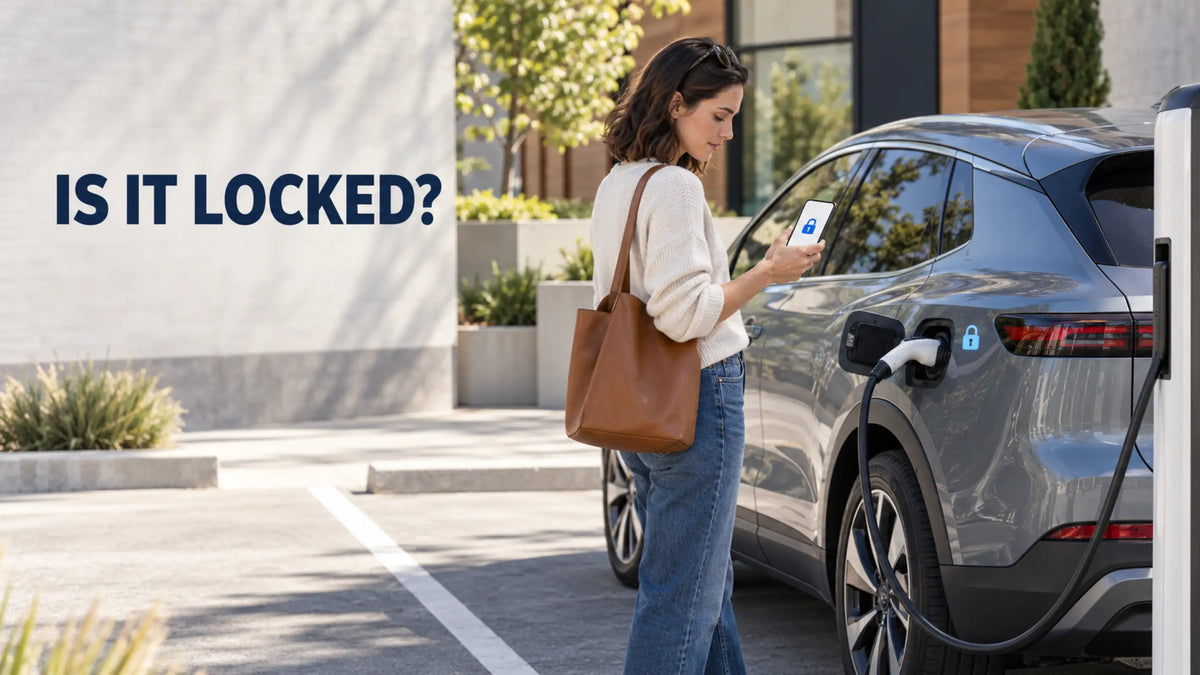
Sometimes, but it depends on the vehicle and its connector-lock settings. Some EVs lock the charging plug whenever the vehicle is locked, while others lock it only during an active session or leave it unlocked after charging finishes.
Before leaving a vehicle connected in a public or shared location, check how its charging-port lock is configured. Because locking behavior varies by model, the vehicle’s settings and owner’s manual provide the most reliable answer.
Does Your Car Lock the Charging Plug?
The vehicle normally controls whether the connector is physically locked into the charging inlet. The charger supplies power and communicates with the car, but its brand alone does not determine whether someone can remove the plug.
Some vehicles offer several locking modes. The Kia charging cable instructions, for example, describe three options:
-
Always Lock: The connector remains locked until the vehicle is unlocked.
-
Lock While Charging: The connector unlocks when charging finishes.
-
Do Not Lock: The connector can be removed regardless of charging status.
Other manufacturers use different names and may offer fewer choices. Tesla’s charging instructions state that the charge cable latch remains locked and the vehicle must be unlocked or recognize an authorized key before the connector can be removed.
The vehicle’s settings and owner’s manual are therefore more useful than the connector type alone when determining how the lock will behave.
What Happens When Someone Presses the Release Button?
Pressing the release button is part of the normal disconnection process for many AC charging connectors. It allows the vehicle and charging equipment to recognize that the connector is about to be removed and stop the charging session before disconnection.
The current SAE J1772 standard defines the physical, electrical and functional requirements for the J1772 charging connection. A compliant connection is designed for controlled charging and disconnection rather than simply separating energized contacts under load.
However, pressing the handle button does not necessarily release the connector from the vehicle. If the vehicle’s inlet lock is engaged, the plug should remain physically retained until the driver unlocks it through the vehicle, key or app.
For NACS vehicles, the release process may also depend on whether the vehicle recognizes an authorized key or phone. The connector should not be pulled, twisted or repeatedly forced when the inlet lock remains engaged.
Does an Adapter Add Another Connection Point?
An AC adapter introduces an additional connection:
Charging connector → Adapter → Vehicle inlet
In a NACS-to-J1772 setup, the vehicle may lock the adapter into its inlet, while the connection between the NACS handle and a NACS-to-J1772 AC charging adapter with a locking mechanism depends on the adapter’s own design.
The two connection points should be checked separately because the vehicle’s inlet lock may not control both. This setup is intended for compatible AC charging and should not be confused with an adapter designed for NACS DC fast charging.
A locking mechanism can reduce casual disconnection, but it cannot prevent every form of forced removal or equipment theft. Improvised locks should not press against the release button, damage the cable or interfere with normal disconnection.

How Can You Reduce Unwanted Unplugging?
Start with the vehicle’s connector-lock setting. If the vehicle offers an “Always Lock” or “Lock While Charging” mode, select the option that suits the location and confirm that the connector is secured after charging begins.
Enable charging notifications when available. An app alert can show when charging starts, stops unexpectedly or reaches the selected limit. This does not prevent disconnection, but it allows the driver to respond sooner.
At public locations, use well-lit and regularly monitored charging areas when possible. Return before or shortly after charging finishes, particularly if the vehicle is configured to unlock the connector automatically at completion.
With a portable charger, remember that the vehicle lock protects only the vehicle-side connection. It does not secure the control box, wall plug or equipment left on the ground. Arrange the equipment according to its instructions and avoid locks that place pressure on cables or electrical connections.
Can Someone Unplug the Car After Charging Is Complete?
That also depends on the selected locking mode. Some vehicles automatically release the connector when charging ends, while others keep it locked until the doors are unlocked.
At a shared Level 2 station, a completed session does not automatically give another driver permission to force or bypass a locked connector. Check the station’s rules and any message left by the owner. Never pull on a connector that is still physically locked into the vehicle.
If your vehicle has been unplugged unexpectedly, check the app or charging record to see when the session ended. Inspect the connector and inlet for visible damage before reconnecting. Stop using the equipment if it is cracked, unusually hot, deformed or displaying a persistent fault.
Whether another person can unplug an EV depends mainly on the vehicle’s lock settings. Check those settings before walking away, and pay attention to both connection points whenever an AC adapter is used.
Recommended Reading: Why Is My EV Charging Plug Stuck in the Car?


Share:
Can You Use Your Old EV Charger With a New Car?